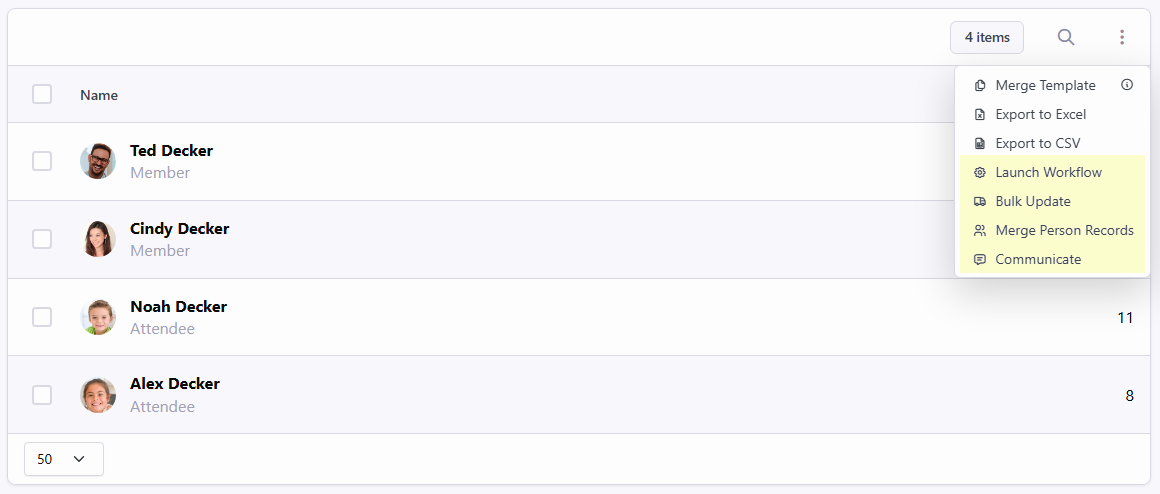
As of Rock v18.2, in order for the Person Report features of the Dynamic Data block's grid to be shown, you'll need to configure at least one of your columns to be of type "Person". The first column of this type found within your column configurations is the one that will be used for all of the following person-specific grid features:
- Launch Workflow
- Bulk Update
- Merge Person Records
- Communicate
What You Need To Do
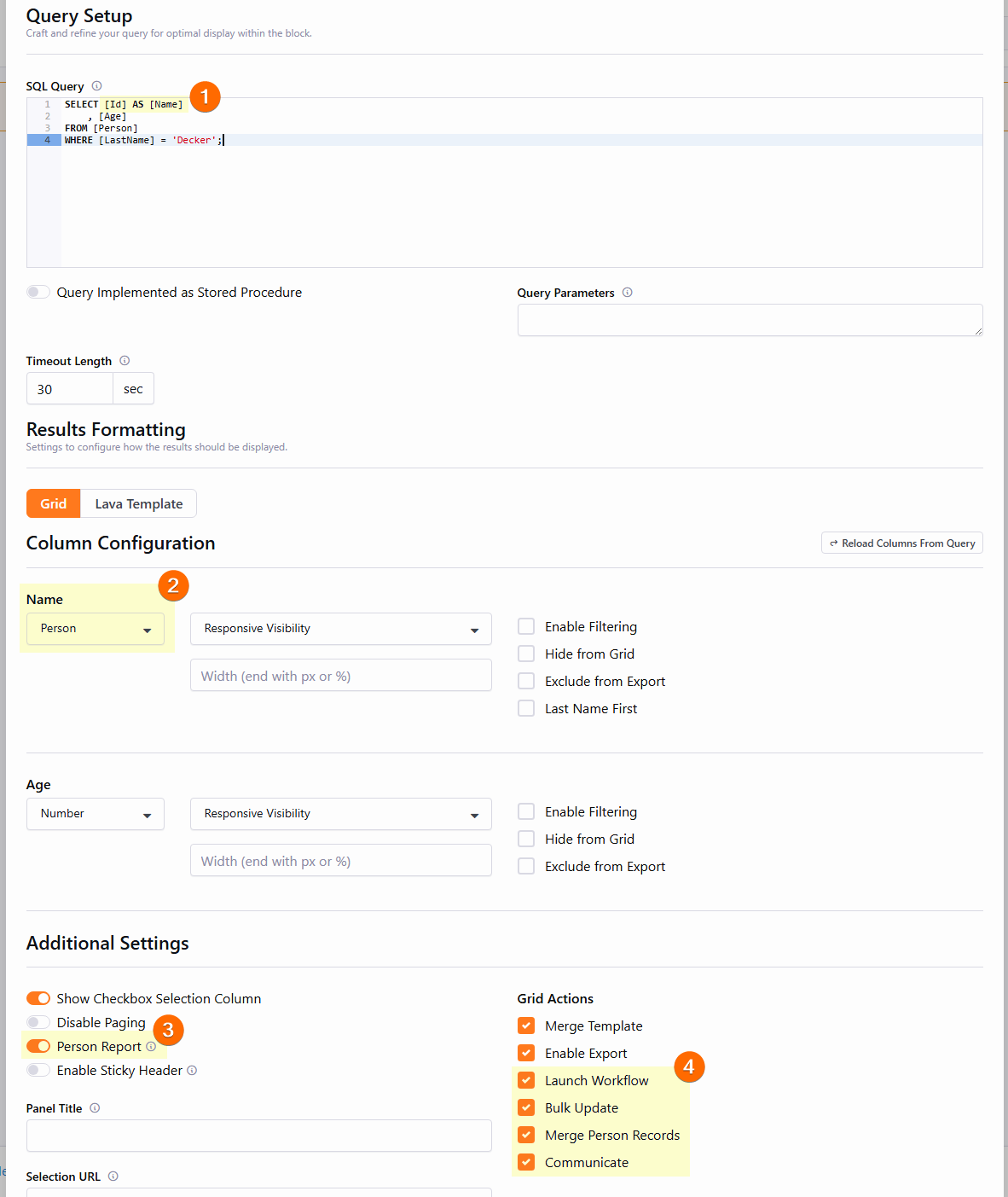
- You probably don't need to change your SQL Query, but you might want to give the column a friendly name (using the `AS [Friendly Name]` syntax) since this is what will be shown as the grid column's name. In the example above, we're giving the column a name of `Name`, but you could also choose `Person` or whatever you'd like.
- Within Column Configuration, ensure the column that contains the Person's ID to be used for all Person Report features is configured to be of type "Person". The first column of this type found within your column configurations is the one that will be used. If none are found, all Person Report features will be disabled.
- Ensure the Person Report switch is toggled on.
- Enable the Person Report Grid Actions you want to show in your Grid's context menu and disable any you don't want to show.