Overview
In Rock v19.5 we corrected an issue where copying a group could cause the copy to share the original group's chat channel. This only matters for organizations that use Rock's Chat feature, and even then only in a specific, uncommon situation. If your organization does not have Chat configured, this bulletin does not apply to you and no action is needed.
Background
When Chat is enabled, each group that participates in chat is assigned a unique chat channel key (stored on the group). Previously, the Copy Group button cloned that key onto the new group, so the copy pointed at the same external chat channel as the original. When the Chat Sync job ran, members added to a copied group could appear on the original group's roster, and the job could log a synchronization warning.
Two things make this rare:
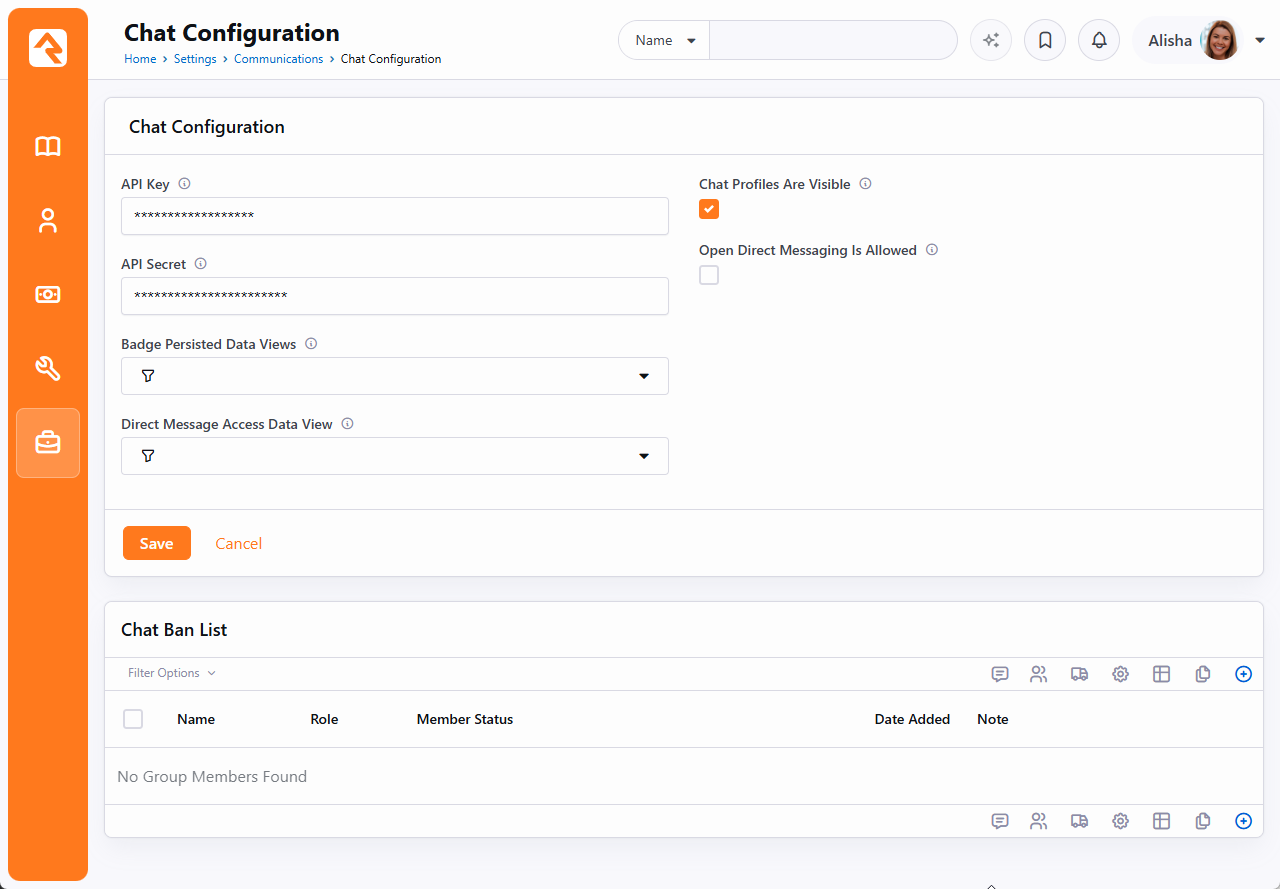
- It only occurs when Chat is configured (an API Key and Secret are present in Settings > Communications > Chat Configuration).
- It only occurs when a chat-enabled group was duplicated using the Copy Group button, which is not shown on the Group Detail block by default and must be deliberately enabled.
What Changed
- The copy action was fixed. Copying a group no longer duplicates the same chat channel key.
- Existing data is corrected automatically. A data migration included in the fix clears the duplicated key on any affected copies so they can be assigned their own channel on the next Chat Sync. The original group keeps its existing channel and message history untouched. Groups that were not affected are left exactly as they are.
- Chat Sync is more resilient. If a duplicate key is ever encountered, the sync now records an entry in the Exception Log identifying the groups involved and continues syncing the rest, rather than stopping.
For most organizations, the automatic correction is all that is needed and no manual steps are required.
Optional: Confirm Whether You Are Affected
If you would like to see whether your database has any affected groups before the migration runs, you can run the read-only query below in the SQL Editor. It only reads data and makes no changes. An empty result means you have no affected groups.
SELECT
    g.[Id]           AS [GroupId],
    g.[Name]         AS [GroupName],
    g.[ChatChannelKey]
FROM [Group] g
WHERE g.[ChatChannelKey] LIKE 'rock-group-%'
    AND TRY_CONVERT( INT, SUBSTRING( g.[ChatChannelKey], LEN( 'rock-group-' ) + 1, 50 ) ) IS NOT NULL
    AND g.[ChatChannelKey] IN (
        SELECT [ChatChannelKey]
        FROM [Group]
        WHERE [ChatChannelKey] LIKE 'rock-group-%'
        GROUP BY [ChatChannelKey]
        HAVING COUNT(*) > 1
    )
ORDER BY g.[ChatChannelKey], g.[Id];